Showing posts with label Utilities. Show all posts

Monday, October 25, 2010

Free CD & DVD burning Software. CDBurnerXP


CDBurnerXP is a free application to burn CDs and DVDs, including Blu-Ray and HD-DVDs. It also includes the feature to burn and create ISOs, as well as a multilanguage interface. Everyone, even companies, can use it for free. It does not include adware or similar malicious components.

Key Features

  • burn all kinds of discs
  • audio-CDs with or without gaps between tracks
  • burn and create ISO files
  • data verification after burning process
  • create bootable discs
  • multi-language interface
  • bin/nrg → ISO converter, simple cover printing and much more!
  • Operating Systems: Windows 2000/XP/2003 Server/Vista/2008/Win7 (x86 / x64)


Saturday, June 26, 2010

Free Software.....


Why are you paying for software that you could be getting for free. Here is a list of some of bigBrains favorite free software.

Thursday, December 06, 2007

Grand Files-free softwares and games


What is Grand Files?

Grand Files is a collection of only the best freeware games and programs, found from all over the internet. Our goal is to hunt down all of the best completely free software, with no shareware or spyware. We will also be making some tutorials on how to use some of the freeware software on the site. [click]

Wednesday, November 21, 2007

Free Icons

Free Icons for Software & Web Application Interfaces
Icon Sizes & Format

  • Free download
  • Web design and software development
  • free icons
  • Icons come in 4 sizes; 80 by 80 pixels, 48 by 48 pixels, 32 by 32 pixels, and 24 by 24 pixels.
  • All images are in .PNG format with transparent background. Here Click

Friday, October 06, 2006

Use Gmail as a Hard Drive


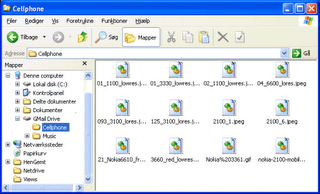
If you have a gmail account (email). you also have much storage space available to you. well over two gigabytes. That space is supposed to be for email. Storing files there is awkward at best. Gamil Drive turns your Gamil box into a place to store files - your computer sees it as another hard drive.

You can use it to create folders, and drag, drop, open and close files as you normally.

*Pictures
*video
** Installation Requirements
Internet Explorer 5 or better
Your Ad Here